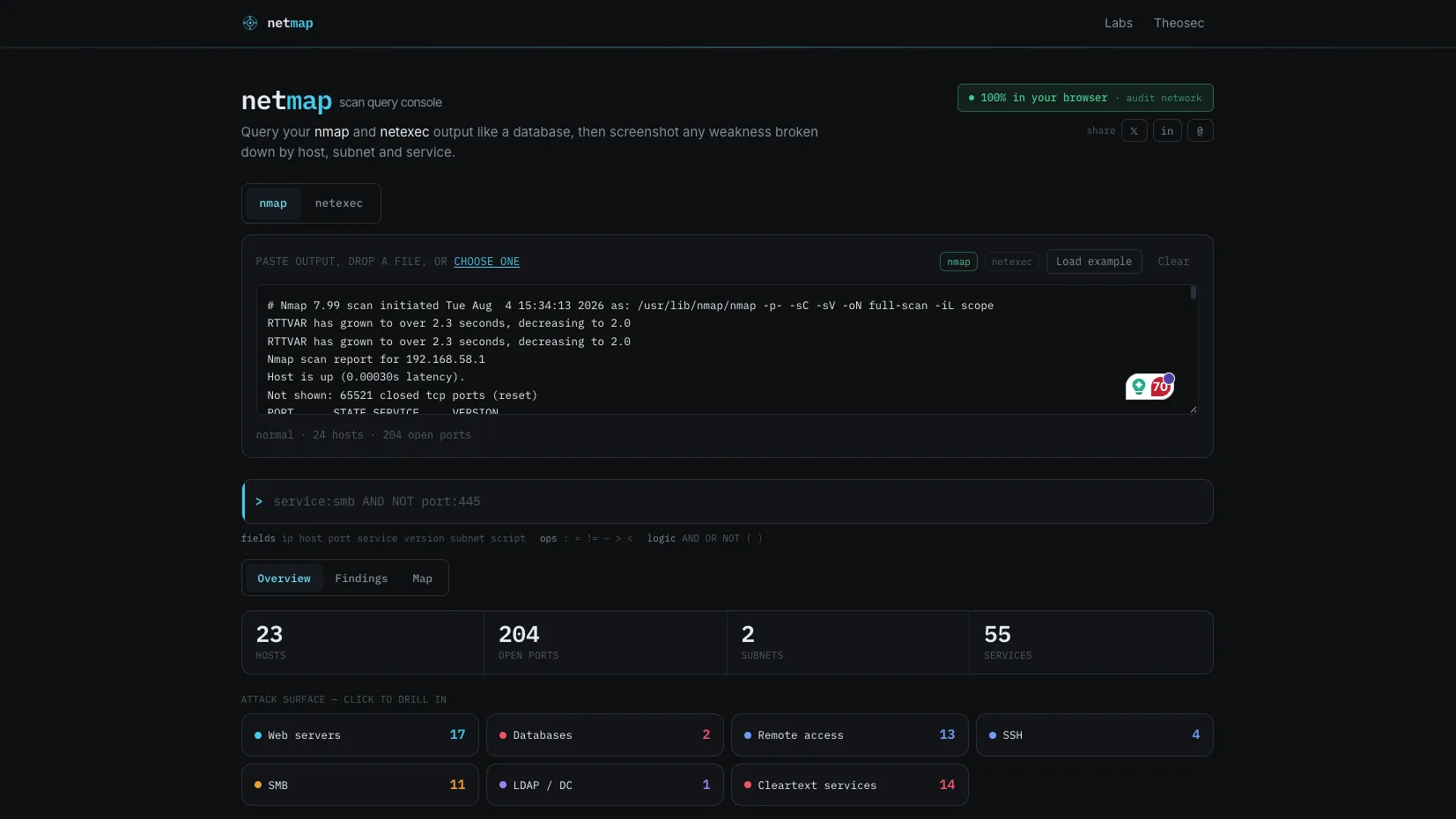
Netmap turns raw nmap and netexec output into something you can actually report from. Paste a scan, and it becomes a queryable, screenshot-ready view of the network — grouped by host, service and subnet. Everything is parsed in your browser, so the scan never leaves your machine.
It exists because the boring part of an engagement is real work: pulling every web server into a list, finding the hosts still speaking cleartext, counting how many boxes have SMB signing off, and turning all of it into something a client can read. Netmap does that in seconds.
Query your scan like a database
The centre of the tool is a query console with a small, Cypher/KQL-flavoured language that runs over every open port. Filter on any field — IP, hostname, port, service, version, subnet, even NSE script output — and combine conditions however you like:
service:smb AND NOT port:445
subnet:10.10.10.0/24 AND (service:http OR port:3389)
version~openssh AND port>1024
telnet OR ftp OR service:snmp
It understands CIDR ranges, port ranges and lists, quoted phrases, regular expressions, and AND / OR / NOT with parentheses. Bad syntax tells you what’s wrong instead of failing silently.
Three ways to read a scan
- Overview — the first thing you see. A recon dashboard that counts the attack surface (web servers, databases, remote access, cleartext services), flags the findings worth prioritising, and ranks the hosts worth looking at first, with a one-line reason for each.
- Findings — pick a weakness and get a single, screenshot-ready panel: affected host count, a per-/24-subnet distribution, the service breakdown, and the full IP or URL list. Copy it as plain IPs, as
ip:port, or as a Markdown table that drops straight into a report. - Map — a network diagram that lays hosts out by subnet and colours each one by its role (web, database, domain controller, SMB, remote access), so the shape of the environment is obvious at a glance.
Findings out of the box
Over thirty one-click checks, each just a saved query you can edit: cleartext protocols, anonymous FTP, exposed databases, RDP/SMB/WinRM/VNC, Kerberos and MSRPC, NFS and rsync, Elasticsearch, MongoDB, Redis, Docker and Kubernetes, IPMI, Ghostcat, Heartbleed and weak TLS, and more. Paste netexec output instead and it surfaces SMB signing, SMBv1, NULL/guest sessions, LDAP signing and channel binding, and authentication coercion.
Your scan data never leaves the browser
This is the whole point, and Netmap makes it verifiable rather than asking for trust. All parsing happens in the page — disconnect from the network and it still works. A built-in Network panel intercepts every request the page makes and shows you the bytes: scan data sent reads 0 B, and the only traffic is a handful of tiny, anonymous usage pings. There’s a one-click opt-out, and Do Not Track is respected.